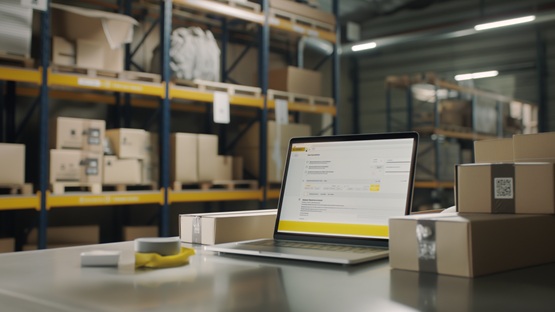
Integration of InPost with ShopGold – Parcel lockers, courier services and payments in a single dashboard
For business E-commerce

17 June 2026
The integration of InPost with ShopGold allows you to link your online shop to services such as InPost Parcel Lockers, InPost Courier and InPost Pay. This enables retailers to automate dispatch, generate shipping labels, provide customers with a map of collection points and streamline the checkout process.
What are the benefits of integrating InPost with the ShopGold platform?
Integration of InPost with ShopGold streamlines online sales operations, automates logistics processes and can boost conversion rates in the shop. The biggest benefit is the ability to manage deliveries from a single admin panel. The seller does not need to manually transfer customer data to the carrier’s external system, and orders, labels, statuses and tracking links can all be managed directly from within the shop.
Integration it also supports multichannel sales. ShopGold can integrate with sales management tools that retrieve orders, import product lists, update prices and synchronise stock levels across different sales channels. This is important for small shops as well as larger e-commerce businesses who are expanding their sales on marketplaces.
We can identify at least eight Benefits of integrating InPost with ShopGold:
-
time saved when processing orders,
-
automation of dispatch processes,
-
reducing errors in address data,
-
faster label generation,
-
optimisation of delivery costs,
-
a more convenient shopping experience,
-
a reduction in the number of abandoned shopping baskets,
-
improving the competitiveness of the online shop.
Well-known delivery methods, such as Paczkomat and InPost Courier, can have a positive influence on a customer’s purchasing decision. Customers see a convenient collection option, short delivery times and the ability to track their parcel, which increases their sense of security when shopping.
 Check out Business Subscriptions
Running a business? Sending many parcels a month? Save on shipping with InPost! Our diverse offer makes it the perfect solution for both small and large companies.
Discover our full range of Subscriptions and submit your inquiry.
What API credentials are required to authorise the connection?
To authorise the ShopGold connection with InPost First and foremost, you will need an API token and an organisation ID, and when implementing InPost Pay, also the Client ID, Client Secret, POS ID and Merchant Client ID. An active contract with the logistics operator InPost is required to set up the integration. Only once the contract has been activated can authorisation keys be generated and the shop connected to the carrier’s services.
Before going live, it is worth testing how the integration works in a test environment. This allows you to verify the accuracy of the data, the functionality of the labels, communication with the API and the handling of statuses without the risk of errors on actual orders.
Communication should be secured using SSL encryption, and the processing of customer data must comply with the GDPR. This applies in particular to address details, telephone numbers, email addresses and payment information.

How do I set up InPost Parcel Lockers and courier services in the admin panel?
Deliveries via Paczkomat and InPost courier services at ShopGold It is configured in the admin panel by activating the shipping module, assigning payment methods and setting delivery parameters. The implementation should not require the installation of any additional plugins, provided that the shop uses from the built-in module that supports InPost. Set-up usually takes a few minutes, provided the retailer already has the API details ready and an active contract with the operator.
-
Log in to the ShopGold admin panel.
-
Go to the delivery settings or dispatch modules.
-
Select your delivery method: Parcel locker, courier or another InPost delivery option.
-
Enter your API token and organisation ID.
-
Set the default point of dispatch.
-
Assign payment methods, e.g. online payment or cash on delivery.
-
Specify the delivery charges and the conditions for free delivery.
-
Enable the map showing collection points in your basket.
-
Save the configuration and place a test order.
In your basket, you can implement the InPost Geowidget, an interactive map of collection points. The customer selects a Parcel Locker or collection point without leaving the checkout process, and the details of the chosen location are added to the order. In the control panel, you can also set up various delivery options – courier deliveries, collection from a parcel locker, delivery to a collection point and cash-on-delivery.
How do I set up the InPost Pay service in my online shop?
InPost Pay is a service that combines the purchasing process, payment and delivery in a single click, shortening the checkout process and making it easier to shop quickly on mobile devices. Customers of shops using InPost Pay can use the ‘Add to InPost basket’ widget on the product page. Once clicked, the transaction continues in the InPost Mobile app, where the user can confirm their details, select a delivery option and pay for their order.
A shorter checkout process with InPost Pay means fewer fields to fill in, fewer steps in the shopping basket and a lower risk of cart abandonment. This is important in mobile commerce, where every additional step can reduce the effectiveness of the checkout. InPost Pay also supports sales initiatives – discount codes, product recommendations, increasing the basket value and handling refunds via the InPost Merchant Portal.
| Element | Standard InPost delivery | Post Office Payment |
| Main function | delivery and parcel handling | purchase, payment and delivery in a single process |
| Place of operation | shopping basket and shop front | the InPost Mobile app |
| Dane API | API token, organisation ID | Client ID, Client Secret, POS ID, Merchant Client ID |
| Impact on conversion | a convenient delivery method | a shorter checkout process and faster payment |
| Payments | depends on the shop | BLIK, Apple Pay, Google Pay, deferred payments |
How do you manage the dispatch process and generate shipping labels?
The dispatch process in ShopGold allows you to manage by generating dispatch labels, creating waybills, arranging collections and synchronising parcel statuses. Once an order has been placed, the shop forwards the details to the InPost system. A shipping label and parcel number are then generated on this basis. Labels can be produced in A4 and A6P formats, which facilitates both standard office printing and use with label printers.
Discover the ten most important features of dispatch management:
-
generating shipping labels,
-
creating consignment notes,
-
printing of labels in A4 or A6P format,
-
order for the collection of parcels from the warehouse,
-
a regular courier delivery,
-
management of courier drop-offs,
-
updating parcel statuses,
-
providing the customer with the parcel number,
-
sending email and SMS notifications,
-
link to track your parcel.
Automatic real-time status synchronisation organises logistics processes. The shop, the customer and InPost all have access to the same order information: whether the parcel has been prepared, dispatched, collected by the courier, delivered to a collection point or handed over to the recipient. With a higher volume of orders, a fixed courier collection slot is particularly useful. The shop can prepare parcels at specific times, and the courier will collect them without the need to manually report each collection.
How can I integrate ShopGold with InPost using third-party sales management systems?
ShopGold can also be integrated with InPost via external sales management systems, such as Apilo or Sellasist, particularly in advanced multi-channel sales. Such tools are useful when a shop sells not only via its own website but also via marketplaces. An external system can retrieve orders from multiple channels, synchronise stock levels, update prices and transfer data to the dispatch system.
Choose InPost Subscriptions for businesses and send parcels at a fixed price.
Take one minute to leave your contact details and start sending parcels from as low as 11.89 PLN*.
- One contract for courier and Paczkomat shipments
- Free courier pickups
- Express delivery
- Price guarantee for the duration of the contract
- Fuel surcharge included
- Dedicated post-sale support
* Net price per Paczkomat shipment in the Subscription 600 plan.